
Best Betting Sites
»
Kalshi Review
»
Kalshi App Review: Features, Usability, and Mobile Trading Access
Kalshi App Review: Features, Usability, and Mobile Trading Access
By
James Thompson,
Last Updated on 14.09.2026
Kalshi is one of the leading prediction markets in the US right now. If you want to trade its event outcomes on a mobile device, you can download the Kalshi app. The download takes only a few minutes to complete.
We tested the app ourselves to see how well it performs compared to its website. We found that it has the same easy-to-use interface and provides access to the same markets for various events. Here, we will tell you everything about the prediction market’s mobile app, so you know what to expect after downloading it.
Table of Contents
- What makes the Kalshi app stand out?
- A closer look at the user interface
- How to download the Kalshi app on iOS
- How to download the Kalshi app on Android
- How to predict event contracts on the Kalshi app
- What if you do not want to use the Kalshi app? Try the website
- Common Kalshi app problems and simple solutions
- What is the Kalshi app – Understanding how Kalshi works
- Hits and misses of the Kalshi app
- Download the Kalshi app in a few easy steps
- Kalshi app FAQs
What makes the Kalshi app stand out?
Kalshi designed its mobile application to be user-friendly. From the double-theme mode to push notifications, there are a few features that make the app a preferable option for mobile users:
- Dark and light modes: When you download the app, it automatically adopts your device's default theme. You can switch to a light or dark mode from the app settings. Regardless of the theme you select, you can easily navigate the app thanks to the well-organized layout.
- Charts for real-time price tracking: Under each market card, the app displays a mini chart that shows the price changes since the market went live. It allows you to zero in on a specific day or time and see the exact price at that point. The chart is updated in real time, making it a handy tool for tracking specific markets.
- Push notifications: The app supports push notifications, which keep you in the loop. You activate these to get updates on new markets related to events you’re interested in, price changes, and bonus additions.
A closer look at the user interface
One of the first things we noticed during our Kalshi review was the app’s interface. On both the Android and iOS devices, the operator keeps things simple, with a plain background and bright write-ups. Its interface is more streamlined than the website’s, which is understandable considering that you’re playing on a smaller screen.
The platform is also well organized. There is a hamburger icon at the far right that opens to reveal main tabs like Notifications, Watchlist, Settings, and Support. Below the hamburger icon are event categories, including Election, Politics, Sports, and Culture. More primary tabs are pinned to the bottom of your screen. The app also has fast-loading times, allowing you to navigate quickly from one section to another.
How to download the Kalshi app on iOS
If you are using an iPhone, you get the Kalshi app running on your device by following these steps:
-
Open the App Store.
-
Enter “Kalshi” in the search box.
-
Pick the right brand from the results.
-
Tap the download icon.
-
Wait a few seconds for the download to complete.
How to download the Kalshi app on Android
For Android users, the download process is similar to that of iOS devices. Here is how to go about it:
-
Open the Google Play Store.
-
Search for Kalshi and pick the right brand from the results.
-
Tap on the download icon.
-
Wait a few seconds for the download to complete.
-
You can log in, deposit, and start trading.
Device requirements for the mobile application
Before downloading the Kalshi app, ensure your device meets the following requirements:
| iOS | Android |
|---|---|
| iOS 15 or newer | Android 11 or newer |
| At least 4 GB RAM | At least 4 GB RAM |
| Minimum storage of 2 GB | Minimum storage of 1 GB |
How to predict event contracts on the Kalshi app
From Kalshi sports to elections and entertainment, there are several events you can trade on the prediction market. But before that, you need funds in your account. If you don’t have any, you simply click the deposit icon, pick a payment method, and follow the onscreen instructions to complete the transaction.
Once you have funds in your balance, you predict event outcomes by following these steps:
- Pick the category you want from the top section of the app.
- Choose a market.
- Pick a “Yes’ or a “No” event contract.
- Enter the number of contracts you want to buy or the amount you want to use.
- Complete the transaction.
Now, you have two options. One, you can wait till the event resolves and get a payout. Alternatively, you can sell those contracts before the event ends.
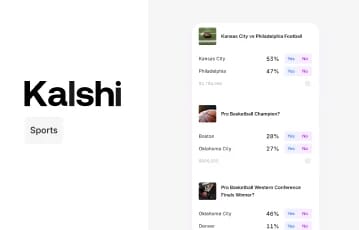
Make trades on sporks markets with Kalshi
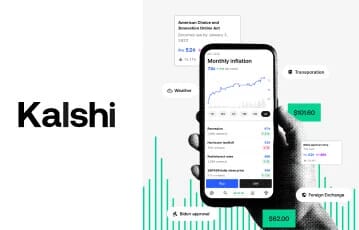
Get Kalshi on mobile
What if you do not want to use the Kalshi app? Try the website
Kalshi understands that not every trader wants to download an app. To that end, it developed its website to be mobile compatible. The site adapts seamlessly to fit smaller screens, allowing you to trade on smartphones and tablets. No download is necessary; you just load the prediction market on your mobile browser, and you’re good to go.
The web version isn’t much different from the mobile app. It shares the same straightforward interface and fast-loading pages. You can also trade on everything from Kalshi election to sports, entertainment, and weather. For faster access to the prediction market, add the website’s icon to your homescreen.
Common Kalshi app problems and simple solutions
Here are four problems you might experience when using the app, along with the solutions to each one:
🌀 App freezes when it’s loading markets
This is a common issue when you are using an older device or you have many apps running in the background. To solve or avoid this, update your operating system to a later version. Then, download the latest version of the Kalshi app. Ensure you do not have many other apps open in the background while you are actively using the prediction market.
🚫 Trades are not registering
When using the app, you might click “Place Trade” and see no confirmation. Later on, you realize that the trade did not go through. Two things can cause this: the market has closed or your internet connection is shaky. In this scenario, visit the market again to be sure it is still active. Then check your internet to ensure you are not experiencing any connection issues.
💰 The app is showing the wrong balance
If your balance is above or below what you expect, especially after a trade, pull down on the home screen to refresh the app. You can log out of the platform, wait a few seconds, and log back in. If your balance still looks wrong, review your history to ensure the amount you expect is accurate.
🔄 The interface glitches when the app opens
When this happens, turn off the portrait mode on your device. Afterward, rotate your smartphone into landscape mode, then return to the portrait orientation. This allows the app to reset and align correctly.
What is the Kalshi app – Understanding how Kalshi works
If this is your first time using a prediction market, you might be wondering how Kalshi event contracts work. Well, they are basically Yes or No shares. You use them to predict the possible outcome of an event. The prediction platform will provide you with the markets, so you only have to buy Yes or No contracts.
Each contract is worth between $0.01 and $0.99. For every correct contract, you receive a payout of $1. The market pays out $0 if the prediction is not accurate.
Hits and misses of the Kalshi app
While the prediction market’s app has several highlights, there are a few areas that need improvement. Below is a summary of the pros and cons:
Pros and Cons
- Intuitive user interface
- Diverse market categories
- Easy to download and install
- Regulated and secure
- Needs regular updates
- Lags on older operating systems
Download the Kalshi app in a few easy steps
Downloading the Kalshi app is ideal if you want to use the prediction market on a mobile device or tablet. As you have seen in this guide, you can easily install the app from your mobile application store. The app is also lightweight, so it won’t take up so much space on your device. Just ensure you have enough storage to allow the prediction market to run smoothly.
If you don’t want to download anything, use the website via your mobile browser. It offers a similar experience, meaning you’re not missing out on much. That said, you can get started on the platform by clicking the link we’ve provided on this page. This takes you to the Kalshi website, where you register and complete KYC.
