Best Betting Sites
»
BiggerZ Review
»
Biggerz App Review 2026: Uncover the Biggerz Sports Betting App Performance
Biggerz App Review 2026: Uncover the Biggerz Sports Betting App Performance
BiggerZ is restricted in your area.
By
James Thompson,
Last Updated on 19.10.2026
You won’t find a downloadable BiggerZ app on the App Store or Google Play. However, there is a web app that you can install directly from the website to your smartphone, tablet, laptop, or desktop.
Alternatively, you can simply access this cryptocurrency casino via the mobile-optimized website. Having tested both options, we would recommend either based on your needs. The web app has a better look and feel, but accessing the site in your mobile browser works best if you’re short on memory space. We’ll show you how each option works below.
Table of Contents
Pros and cons of the BiggerZ app
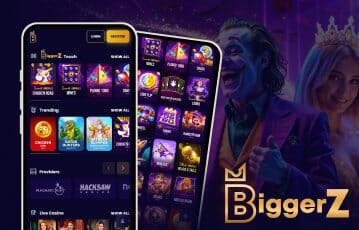
Pros and Cons
- Downloadable web app
- Mobile-optimized website
- Doesn’t take much memory space
- Not available in any official app store
An overview of the BiggerZ Casino app
BiggerZ is an online casino and sportsbook where you can deposit and gamble using crypto or traditional fiat currencies. As we said above, you won’t find a native app on conventional app stores like Google Play and the Apple App Store.
However, when it comes to playing BiggerZ slots on mobile, you have two options:
| Method | How it works | Main advantage |
|---|---|---|
| 📱 Web app: | You can download and install the web app directly from the BiggerZ home page | Quicker log-in, better notifications. |
| 📲 Mobile-optimized website: | Access the casino site using your mobile browser | No downloads needed, takes zero storage space. |
How to install the BiggerZ web app - Step-by-step
The closest thing to a native app is the web app, which is available directly from the home page. It works on Android, iOS, and Windows devices, covering mobiles and desktops.
Below is a guide showing how you can download the app and sign up to claim your BiggerZ no deposit bonus or welcome offer, if one is available. See banners on this page for the exact offer in your location.
-
Follow the banners on this page to the BiggerZ home page
-
Tap the download icon button at the top of the screen (next to the search box)
-
Hit the “Install” button in the pop-up to confirm download and installation
-
Open the app once it's installed on your device
-
Tap the “Register” button
-
Create a username and password
-
Select your preferred account currency (fiat or crypto)
-
Create a “Nickname” for your account
-
Enter your date of birth (you must be aged 18+ or above the legal gambling age in your country)
-
Enter a BiggerZ promo code into the box provided (see banners on this page if one is required)
-
Mark the checkbox to accept the T&Cs and Privacy Policy
-
Finish by tapping the “Register button
Who can use the BiggerZ app?
BiggerZ is licensed and regulated by the Government of Anjouan, and accepts players from many locations across the world. However, it is also prohibited in the UK, the US, and many other countries.
If you are located in one of the allowed BiggerZ countries, you’ll be able to access the site via our on-page banners. If not, you’ll see alternatives instead.
Using the BiggerZ mobile site - A quick guide
If you don’t want to download and install an app, you can use the mobile-optimized website. This works on iOS and Android devices and on most major mobile browsers.
Accessing the mobile site is simple:
- Open your mobile browsers
- Load the BiggerZ web URL
- Follow steps 4 - 12 from the guide above to create your account
- Deposit crypto/fiat and play slots
Installing the home screen icon
You can have an app-like experience without downloading any additional software. To do that, you simply have to install the BiggerZ gateway icon on your smartphone or tablet home screen.
Here’s how to do it using Google Chrome browser as an example:
- Open the Google Chrome browser
- Go to the BiggerZ home page
- Tap the three vertical dots icon in the top-right corner
- Scroll down and select (Add to home screen)
- A BiggerZ icon should now appear alongside the other apps on your home screen.

Various games to be played
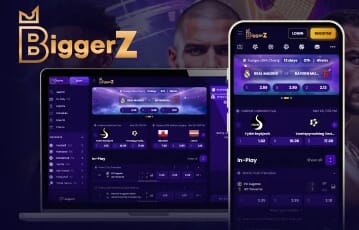
Works on Android, iOS, and Desktop devices
BiggerZ crypto casino app - Conclusion
In summary, the BiggerZ mobile app isn’t available to download from an app store, but you can find the web app on their website. Additionally, you can access the site in your mobile browser and install a gateway shortcut on your home screen.
Ready to get started? You load the BiggerZ site via the banners on this page.